Upgrading to Fedora 8 from Fedora 7
OK, this is the methods I have used to successfully upgrade my system OS from Fedora 7 to Fedora 8, your mileage may vary.
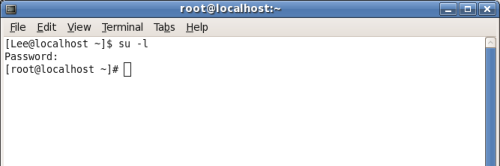
1) Get into a terminal and su to root
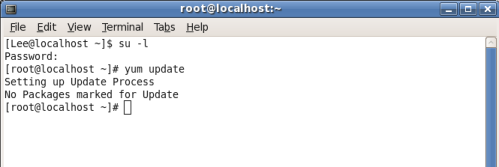
2) run yum update
3) rpm -Uhv http://download.fedora.redhat.com/pub/fedora/linux/
releases/8/Fedora/i386/os/Packages/fedora-release-8-3.noarch.rpm
once I ran this command I appeared to have to wait a few minutes, maybe for things to get setup but when I first ran a yum upgrade command after, it didn’t work. If waiting doesn’t work for you, this is what I did to trigger it to work:
yum -n remove fedora-release
then run:
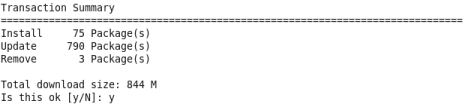
yum upgrade
it gave me some errors on dependency problems, it could be due to me having livna repositories:
Error: Missing Dependency: libwnck-1.so.18 is needed by package heliodor

Error: Missing Dependency: beryl-plugins >= 0.2.1 is needed by package beryl-settings

Error: Missing Dependency: libwnck-1.so.18 is needed by package bdock
I did this to resolve:
yum -y remove beryl-plugins heliodor bdock
the above removed 6 packages for me.
then do a yum upgrade and all “should” go well, as I said you might run into your own difficulties but it worked fine for me.
finally to add back livna repos:
rpm -Uhv http://rpm.livna.org/livna-release-8.rpm
I did this last night and when checking this morning I’ve only noticed one issue so far and that was that gedit didn’t apppear to have a top bar, this could be due to me having to install beryl items back, not sure yet.















3 comments