Got Game: My Cross-Platform Game Library App Is Now Live
Right then – after months of tinkering around in the evenings, Got Game is now available on Google Play.
The premise is simple: if you’re like me and you’ve accumulated games across Steam, Epic Games, and GOG over the years, you’ve probably got no bloody idea what you actually own anymore. You fancy playing something, open Steam, scroll through a bit, don’t fancy anything, then remember you got that free Epic game last month – but was it last month? Or was that the month before? Repeat until you just go back to whatever you’ve been playing for the last three years.
Got Game fixes that by pulling everything into one list. Connect your accounts once and it grabs your full library from each platform – cover art, playtime (where available), last played dates, the lot. Then you can actually search across everything you own, filter by platform, or just browse the whole collection together.
What It Does
The core feature set came directly from what I wanted myself:
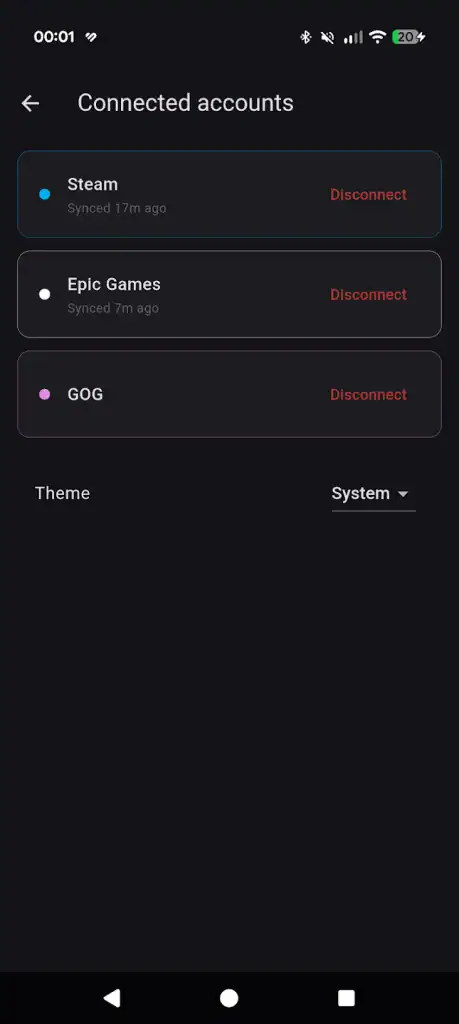
Cross-platform library view – everything from Steam, Epic, and GOG in one place. You can filter down to a single platform if you want, but the point is seeing it all together.
Proper search – instant search across your entire library. No more “I’m sure I own that” followed by checking three different launchers.
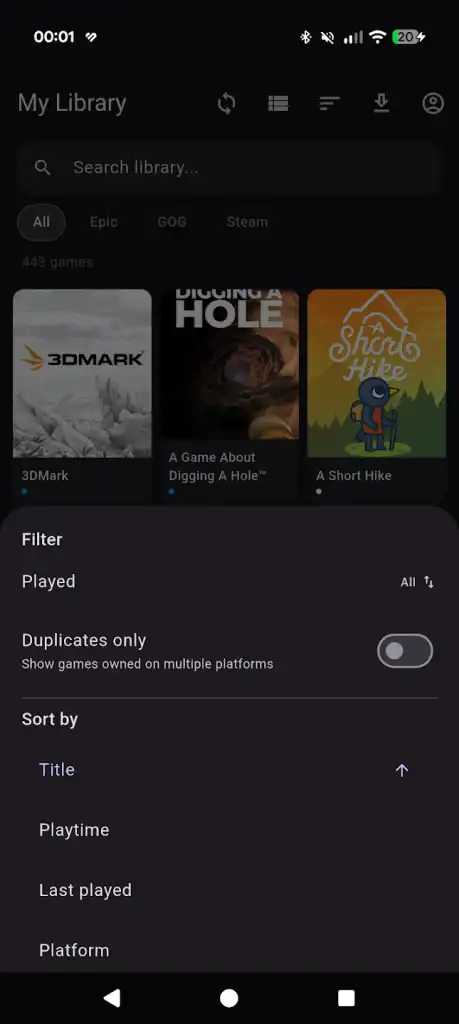
Duplicate detection – this one surprised me when I first ran it on my own library. Turns out I own quite a few games on multiple platforms (cheers, Epic free games). Got Game spots the overlap and lets you filter down to just the duplicates, which is handy when deciding where to actually play something or working out what not to buy again.
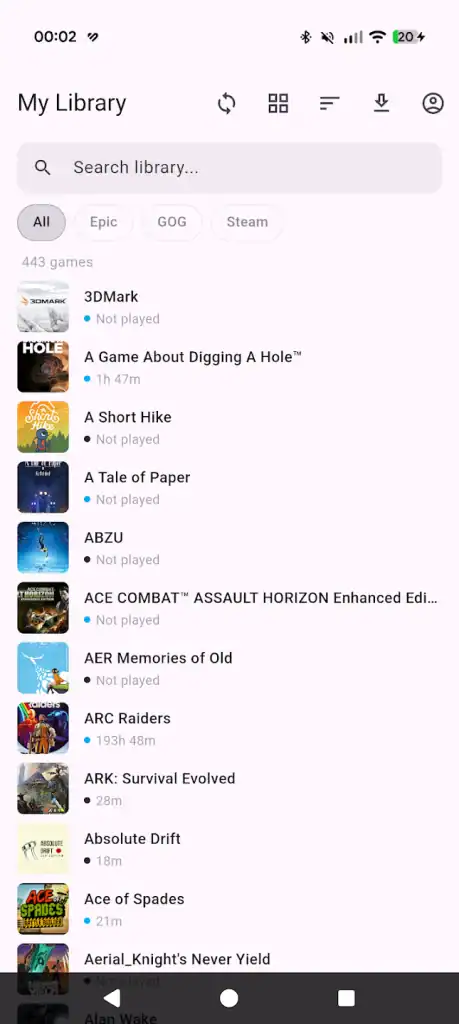
Playtime tracking – pulled directly from Steam and Epic Games. Useful for the “have I actually played this?” question when you’re deciding what to uninstall.
CSV export – export your full game list, or any filtered view, as a CSV. Share it, chuck it in a spreadsheet, keep it as a backup – whatever you want.
The interface is deliberately straightforward. No attempts at being clever or gamifying your game collection (because that would be ridiculous). You’ve got your library, you can search it, filter it, sort it by title/playtime/last played/platform, and that’s your lot.
The Technical Bit
This is an Android app for now – I wanted to get something out rather than spend another six months trying to make it work everywhere. It connects to each platform’s API where available (Steam’s is solid, Epic’s exists), pulls down your library data, and stores it locally with the artwork cached so you’re not hammering their servers every time you open the app.
Authentication is handled by signing in directly through each platform — no storing passwords, no dodgy third-party login screens. You log in through the platform itself, and the app uses what it’s given from there.
What’s Next
This is the first proper release, so it does what it says on the tin and nothing more. I’ve got a list of things I want to add – better sorting options, the ability to mark games as favourites or hide them entirely, maybe some kind of “random game picker” for when you’re feeling indecisive – but I wanted to get the core functionality out first and see if anyone else actually finds this useful.
If you’ve got Steam, Epic, and GOG libraries that are getting out of hand, give it a go. It’s free, there are no ads, and there’s no subscription bollocks. It does one thing – shows you what games you own – and it does it without any nonsense.
Let me know what you think. Especially if something breaks – I’ve tested it extensively on my own setup, but there’s always that one edge case I didn’t think of.
Got Game is an independent app and isn’t affiliated with Valve, Epic Games, or GOG. Obviously.









Post Comment