×

Buying games using Steam with Wine

OK, so for the first time I found I was having problems purchasing a game in Steam using my wine setup.

I’ve only just got the sound back in Team Fortress 2, and now this?!

Well, I’ve got a solution for you. The problem appears to be with the Wine implementation of iexplorer. The issue is you can click on the purchase button as often as you like, but it won’t take you to anywhere.

I’m running wine 1.1.5 and Fedora 10 Beta

My solution is thus:

Using your web browser in Linux (outside of wine) goto the Steam page and goto http://store.steampowered.com
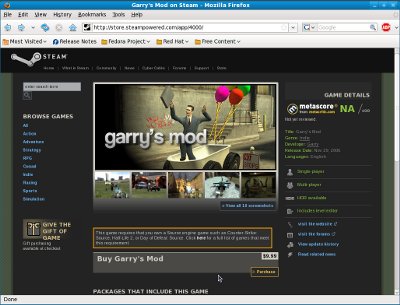
Steam Powered Site

Navigate to the game you wish to purchase and click on purchase, for example I’m buying Garrys Mod so I search for it and click purchase.

It then presents you with a Got Steam? popup:

Got Steam?

With that window selected press Ctrl+U to view the source, you’re looking for a section like this:

class="gotSteam_yes" onmouseover="this.className='gotSteam_yes_ovr';"
onmouseout="this.className='gotSteam_yes';"
onclick="opener.location.href='steam://purchase/218'; window.close();"
>Yes, I already have
Steam installed!

The important bit is the onclick section.

Copy the bit between the ” ‘s ” so for my game, Garrys Mod, its:

steam://purchase/218

This is a trigger for steam to navigate to the purchase game section.

Now we know where to get the game, we can instruct Internet Explorer in Wine to open it, the command for my setup is:

env WINEPREFIX=~/.wine wine "C:\Program Files\Internet Explorer\iexplore.exe" steam://purchase/218

This will then trigger Steam to load and prompt you with the purchase section.
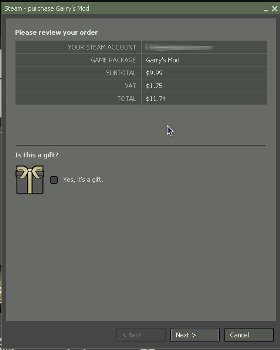
Purchase Game

Job done. Its a bit of a pain, but how often do you buy games really?

11 comments

comments user
rusty

hoo ever gets this u ples tler me wheele i can get this game at b/c i owas what that game four ever

comments user
lee

To get Garrys mod you need Steam and a Source Engine Game. So for example if you buy Counter Strike:CS you could then buy Garrys Mod, of if you had Half Life 2 you could also.

One of the easiest ways to get Garrys Mod and loads of other great games is the Orange Box: http://orange.half-life2.com/

comments user
James

Thank you so much! This is exactly what I needed. Buying games is no trouble if you boot into windows, but there is no way to install third party mods without this method.

comments user
lee

No problem James, anything I find that I struggle with I always try and put a note of how I managed it on my website here, even if just to remind myself.

comments user
jamie

Thanks for this, I had to use the same method to install the Insurgency mod as using the Store just ended up giving me errors.

comments user
Gerhard

Thx a lot, so i got aa 3 !

comments user
James C

Hey, this is great. Is there a way to make an app launcher with the launch info minus the game, so that we an add the game to it when we find one?

comments user
lee

How do you mean? Sorry I’m missing your point.

comments user
Gearoid

Hey, thanks a bunch man, this saved me a lot of hassle

comments user
lee

No problem, glad it helped.

comments user
fossean

Thank you very much for this pointer! I managed to install Insurgency mod using your guide. Here’s what I pasted in terminal…

env WINEPREFIX=~/.wine wine “C:\Program Files\Internet Explorer\iexplore.exe” steam://run/17700

Post Comment

This site uses Akismet to reduce spam. Learn how your comment data is processed.